OpenCapture › Alternatives › FireShot alternative
An open-source FireShot alternative, with the editor included
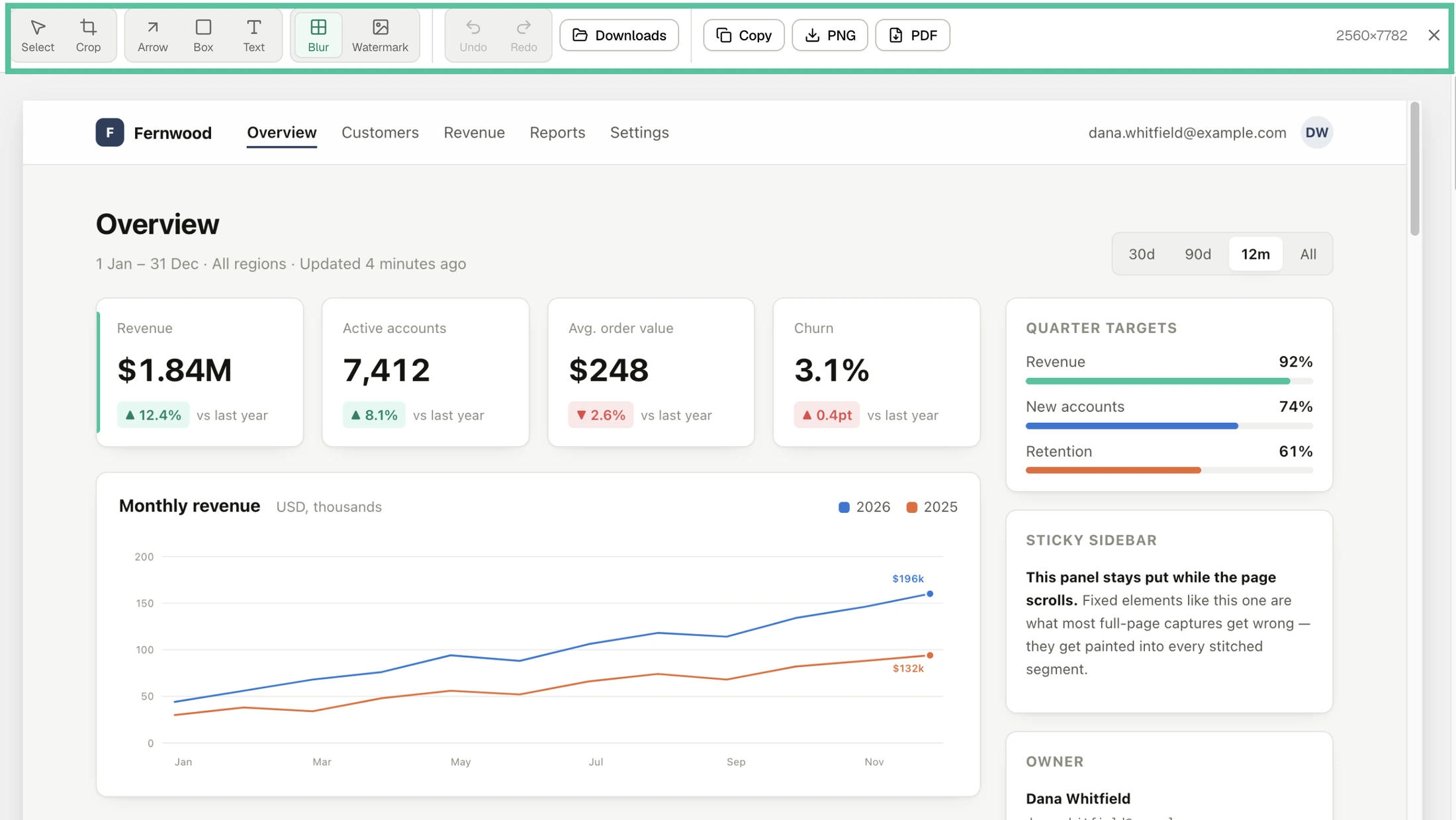
OpenCapture is a free, open-source FireShot alternative. FireShot is closed source and keeps its complete editor in FireShot Pro, which costs $39.95 a year or $99.95 once. OpenCapture’s core is published under AGPL-3.0-or-later, the editor is free, and nothing leaves your browser.
Side by side
| Compared | OpenCapture | FireShot |
|---|---|---|
| Features | ||
| Visible area / selected area | Yes | Yes |
| Capture full page | Yes | Yes |
| Export to PNG | Yes | Yes |
| Export to PDF | Yes | Yes |
| Multipage PDFpaginated, not one tall page | No | Yespaid feature |
| Complete editorcrop, draw, text, blur | Yes | Yespaid, Windows only |
| Unlimited undo | Yes | Yespaid, Windows only |
| Watermarking | Paidpaid feature | Paidpaid feature |
| Capture history | Yeslast 50, stored on your device | Yespaid feature |
| Batch captureevery open tab, or a list of URLs | No | Yesvisible part free, full page paid |
| UploadingFTP, HTTP, social, cloud drives | No | Yespaid feature |
| JavaScript APIembed capture buttons into your own site | No | Yes |
| Browsers | ||
| Chrome | Yes | Yes |
| Microsoft Edge | Yes | Yes |
| Firefox | Yes | Yes |
| Other browsersofficially supported builds | No | YesOpera, Safari |
| Open source | ||
| Open source | YesAGPL-3.0-or-later | No |
| Pricing | ||
| Billing | One-time | Annual or one-time |
| Price | $5 for 1,000 credits, one-time | $39.95/year or $99.95 once |
What you're actually choosing between
Where the paywall sits
FireShot's model is a free tier that captures and exports, plus a paid Pro licence that unlocks the editing toolset. If you only ever capture and save, the free tier covers it.
OpenCapture puts the line somewhere else entirely: everything involved in capturing, editing and exporting is free, and the single paid feature is watermarking — tiling a logo or text across an export, which is a publishing task rather than a screenshotting one. If your reason for looking at FireShot Pro was the editor, that's the gap this fills.
Open source versus closed source
FireShot is closed source and has been for its whole life. OpenCapture's core is AGPL-3.0-or-later on GitHub. For a tool that by definition sees every page you point it at — including the logged-in ones — being able to read the code is a meaningful difference, particularly if you need to justify the install to someone else.
This is usually the reason people go looking for an open-source FireShot alternative in the first place: not ideology, but that a screenshot extension has broad access to page content, and "read the source" is a stronger assurance than "trust the vendor". The AGPL also means any hosted derivative has to publish its changes.
Where FireShot is the better pick
If you have already bought a Pro licence and it works, switching gains you very little — and FireShot has export destinations OpenCapture has no equivalent for, like sending a capture straight to OneNote or an email client. It also has a JavaScript API for building capture into your own site, and can work through a list of URLs rather than one page at a time — if your use case is volume or integration, that is a real gap here. If you have not bought it yet, the editor you would be paying for is free here.
Is FireShot Pro free?
No. FireShot Pro is paid: on 23 October 2026 FireShot’s purchase page listed it at $39.95 a year, or $99.95 once for a Lifetime License. The free version is FireShot Lite, which captures and saves but leaves out the Pro editing set. In OpenCapture the editor — crop, draw, text, blur, unlimited undo — and PNG and PDF export are free, with no account.
If you came here looking for a FireShot licence key
A Pro key is something FireShot sells; there is no legitimate free one, and the generated keys floating around are neither legal nor safe to install. So the questions worth answering are the other ones: what the key actually buys, what happens when the trial runs out, whether it moves with you, and whether you need a key at all. Everything below about FireShot was read off getfireshot.com on 24 September 2026.
What the licence costs and who it covers
Two ways to buy: $39.95 a year, or $99.95 once for what FireShot calls a Lifetime License, sold as unlimited usage on two devices. Their purchase FAQ is the clearest statement of scope — a licence works across multiple browsers and profiles on 2 devices, for personal use, and additional devices or users need a separate licence. The licence agreement adds that the software can be used by the licence key owner only, and that you may not sell, rent, lease or sublicense it. It is a personal licence with a device ceiling, not something you can hand on or resell.
Inside that ceiling it travels well. The agreement says your licence covers any browser supporting FireShot Pro, so one purchase covers Chrome and Edge and Firefox rather than one key each, and a reinstall is a matter of signing back in with the activation link. Purchases carry a 7-day money-back window.
The trial is 10 days, and then it stops quietly
You can switch the full Pro feature set on to try it. FireShot's own page states both the length and the outcome: 10 days of trial, after which FireShot switches itself to Lite mode, free forever. Nothing is confiscated — the PNGs and PDFs you already saved are files on your disk and stay readable — but the Pro tools stop being available, and their trial-expiry page words the alternative as reverting to the free version with limited features.
Lite is a real free tier rather than a countdown. By FireShot's own comparison table it still captures the full page, the visible area and a selection, and still writes a single-page PDF. What it does not include is the editing set, multipage PDFs, batch capture of tabs and URL lists, and the upload destinations; history narrows to the last week, and the free tier carries advertisements.
Check this before you buy the editor
FireShot's comparison table splits Pro into two columns, Pro (non‑Windows) and Pro (Windows), and the editing rows — unlimited shapes and annotations, unlimited undo and redo, resizing, the multi-editor interface, editing annotations back into a saved PNG — are ticked only in the Windows column. Their purchase page lists the same item as “Editor & smart annotations (on Windows)”. If you are on macOS or Linux and the editor is the reason you were about to buy a key, that is the thing to confirm first.
The two models side by side
| How the money works | OpenCapture | FireShot |
|---|---|---|
| What sits behind the paywall | The tiled watermarkand nothing else | The Pro feature seteditor, multipage PDF, batch capture, uploads |
| What it costs | $5 once1,000 credits | $39.95/yearor $99.95 once |
| How it is unlocked | An account sign-inused for this one thing | A licence keyrestored with an activation link |
| Who the purchase belongs to | Your account | The key ownertwo devices, personal use |
| Time limit | Nonecredits never expire | 10-day Pro trialthen Lite |
| If you stop paying | Nothing changesthere is no recurring charge to stop | Pro switches offLite keeps capturing |
What carries over if you switch
Less than you would think, which is the useful part. Screenshots are files: a PNG or a PDF FireShot wrote is not tied to it and opens anywhere. What does not carry over is FireShot's project format and its ability to re-open and edit annotations inside a saved PNG — if you keep captures as re-editable FireShot projects, those stay with FireShot, and that is a real reason not to move. OpenCapture has no project format at all: you capture, edit, export, and what you have afterwards is an ordinary image or PDF.
There is nothing to key on this side. Capture, cropping, annotation, blur, unlimited undo and PNG or PDF export are free, need no account, and do not expire. One feature is paid — tiling a logo or text watermark across an export — and it is a one-time unlock, $5 for 1,000 credits, through an account rather than a key file. If the watermark is not something you need, you never sign in.
No key to enter, nothing counting down
Install it, capture a page, and see whether the editor does what you needed Pro for.
Questions people ask
Is FireShot open source?
No. FireShot is closed-source and has been throughout its life.
Is there an open-source FireShot alternative?
OpenCapture. Its core extension is published under AGPL-3.0-or-later on GitHub, so you can read exactly how it handles the pages you point it at. It captures full pages to PNG or PDF, includes crop, annotation and blur, and ships for Chrome, Edge and Firefox.
Is there a free alternative to FireShot Pro?
OpenCapture includes its complete editor — crop, draw, text, blur, unlimited undo — at no cost, with no Pro tier to buy. Capturing a full page and exporting it as a PDF are free in both products; the editing is where FireShot draws its licence line and OpenCapture does not.
Is there a free FireShot Pro licence key?
No. A Pro key comes from buying one — $39.95 a year or $99.95 once — and keys from generators are neither legal nor safe to install. What is genuinely free is FireShot's Lite tier, which still captures full pages and writes single-page PDFs, and OpenCapture's editor, which has no key to enter at all.
What happens when the FireShot Pro trial ends?
It runs for 10 days. After that FireShot switches itself to the free Lite mode: the Pro tools stop being available and basic capture carries on. Screenshots you already saved are ordinary files on your disk and are not affected.
Does OpenCapture work in Firefox like FireShot does?
Yes. OpenCapture ships Manifest V3 builds for Chrome, Microsoft Edge and Firefox.
Is OpenCapture a subscription?
No. Everything except watermarking is free, and watermarking is unlocked once with a one-time purchase rather than a recurring plan.
Can OpenCapture save a long page as a single PDF?
Yes. However long the page is, it is stitched into one image and can be exported as a single PNG or a single PDF.
Does OpenCapture send anything to a server?
No. Captures have no upload path — every step runs inside the browser. The only network requests OpenCapture makes are for the optional watermark unlock, and no screenshot is ever part of them.
Which parts of OpenCapture are not open source?
One: the optional watermark module, which is proprietary and ships as a separate component. Everything else — capture, the editor, blur, and PNG and PDF export — is in the AGPL-3.0-or-later repository.