Full-page screenshots,
exactly as the page looked.
The open-source alternative to GoFullPage and FireShot: capture the whole page, crop, annotate, blur what’s private, and export PNG or PDF.
Nothing is uploaded — the extension runs entirely in your browser.
- No account required
- Local-only
- No telemetry in the extension
- Unlimited undo
- Last 50 captures
- Open source
A screenshot tool shouldn’t need your data to work. OpenCapture renders, crops and annotates every image locally in your browser — nothing is uploaded, and nothing needs an account, until you choose to unlock the one feature that does.
Features
Every page, one image.
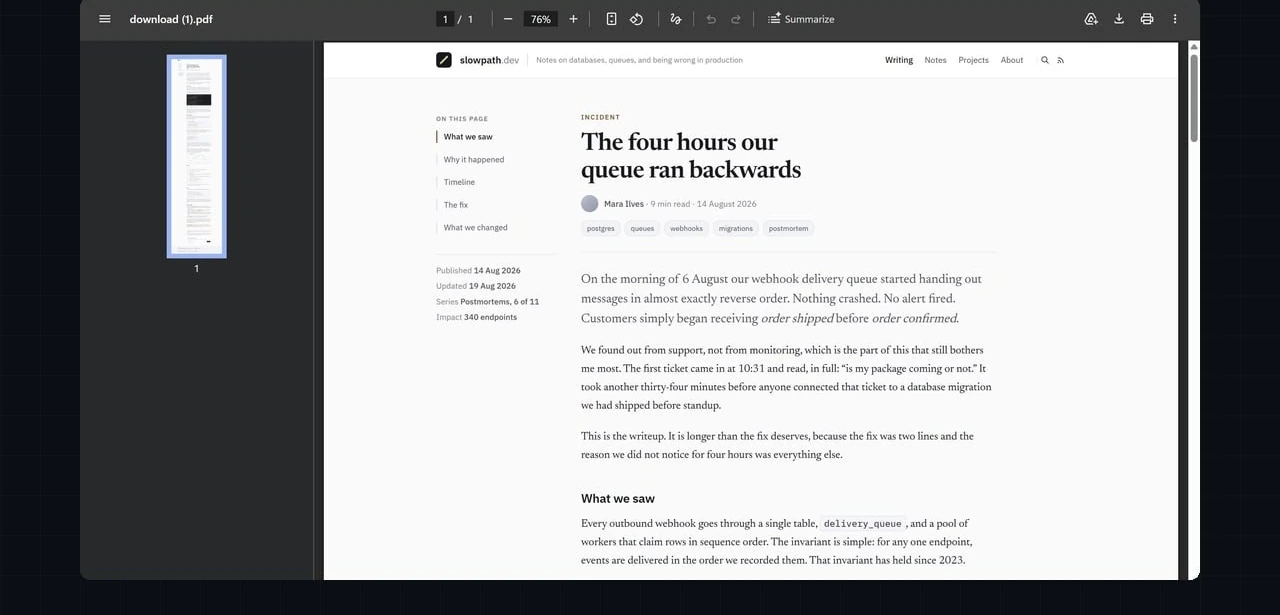
Full-page capture stitches the entire page — however long — into a single PNG or PDF, with no visible seams between bands.
How the PDF export compares with your browser’s print dialog →
Mark it up before you save it.
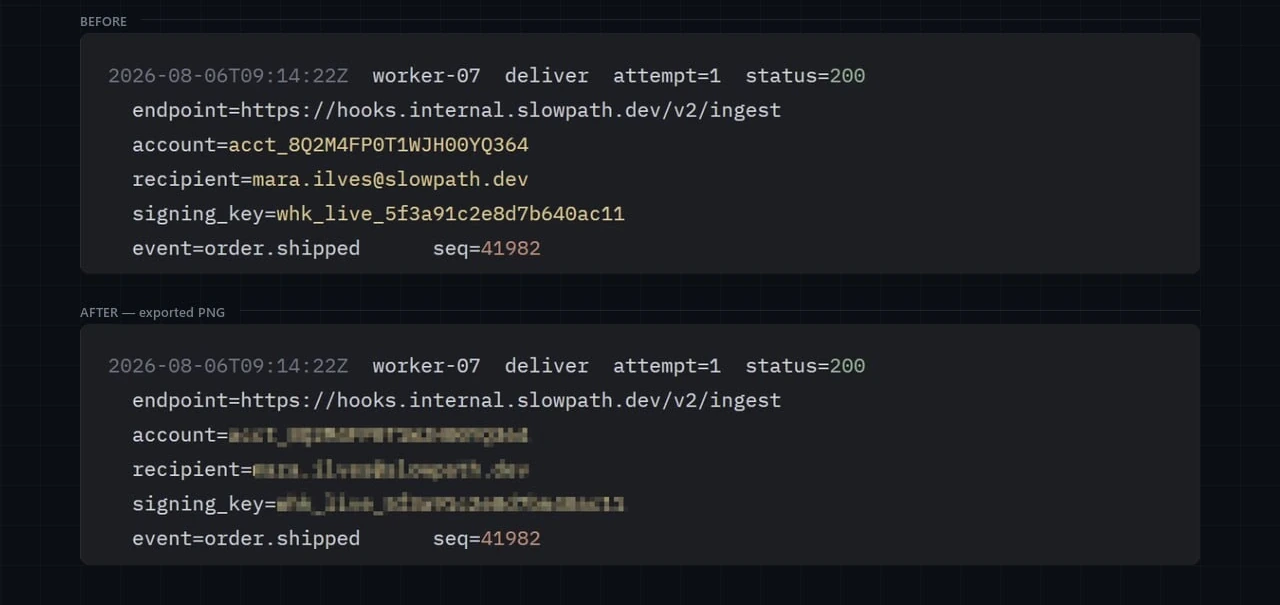
Crop to what matters, draw and add text, blur anything private. Undo covers every step, so nothing is permanent until you export.
One feature costs credits.
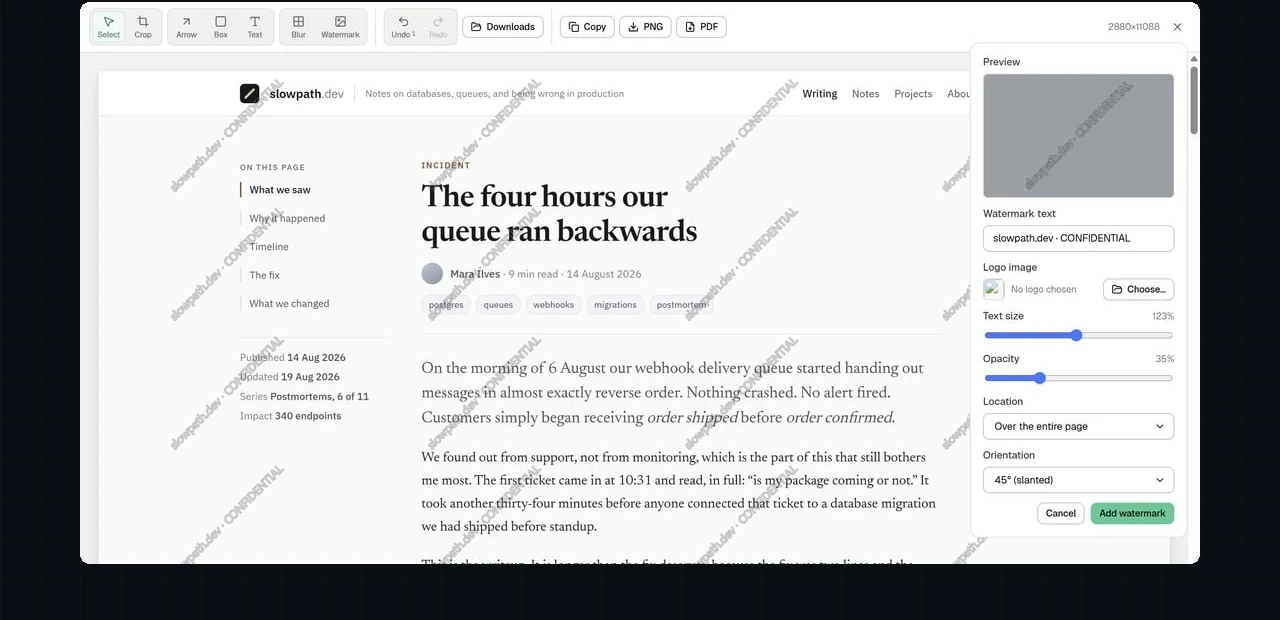
Tiling a logo or text watermark across an export is a Supporter feature — $5 for 1,000 credits — once, no subscription. Every other tool stays free.
Three steps, and none of them involve an account.
- Install it. Add the extension from the Chrome Web Store, Edge Add-ons or Firefox Add-ons. Nothing to sign up for.
- Capture the page. Open the popup and choose full page, visible area, or a region you drag. The page scrolls itself and the bands are stitched into one image.
- Edit and export. Crop, annotate and blur in the editor, then save as PNG or PDF. All of it happens on your own machine.
Built to need nothing from you but the page you already have open.
Local. A private screenshot extension in the literal sense: every capture is rendered and edited on your machine, and nothing leaves it unless you choose to buy credits.
Free. Capture, crop, annotate and export — all of it, for Chrome, Edge and Firefox, at no cost and with no account.
Honest. One feature is paid, and it says so before you touch it: $5, once, clearly marked. The rest is open source, so you can check that yourself.
It’s open source, and it’s free. The code is on GitHub under AGPL-3.0, and every tool except the tiled watermark costs nothing.
Free for everything except one feature.
Credits are bought through your account — by card, crypto, or Lightning.
- Full-page and visible-area capture
- Crop, draw, add text, and shapes
- Blur private areas
- Unlimited undo
- Export to PNG or PDF
- Everything in Free
- Tiled logo or text watermark
- Custom opacity, position, and angle
- One-time unlock — no subscription, never expires
Paid once per account. Every other tool on this page stays free either way.
Before you install it.
- Does OpenCapture upload my screenshots anywhere?
- No. Every capture is rendered and edited locally in your browser. Nothing is sent to a server unless you choose to buy credits for the Supporter unlock.
- Is OpenCapture free?
- Yes. Capture, crop, annotate, blur, undo, and export are free for everyone, with no account required. The only paid feature is the tiled watermark tool, a one-time Supporter unlock — $5 for 1,000 credits.
How this works, underneath.
Capture stitches several viewports into one image. The four failure modes that produces, and a one-minute test for any tool.
Blur and pixelation average pixels rather than removing them, so short predictable text can often be recovered.
What a bug screenshot has to answer, and what to blur before the ticket gets forwarded.
Take a screenshot of the whole page, not just what fits.
Free to install, free to use for everything but one feature — and that one is optional.