OpenCapture › Alternatives › Lightshot alternative
A Lightshot alternative that captures the whole page and keeps it private
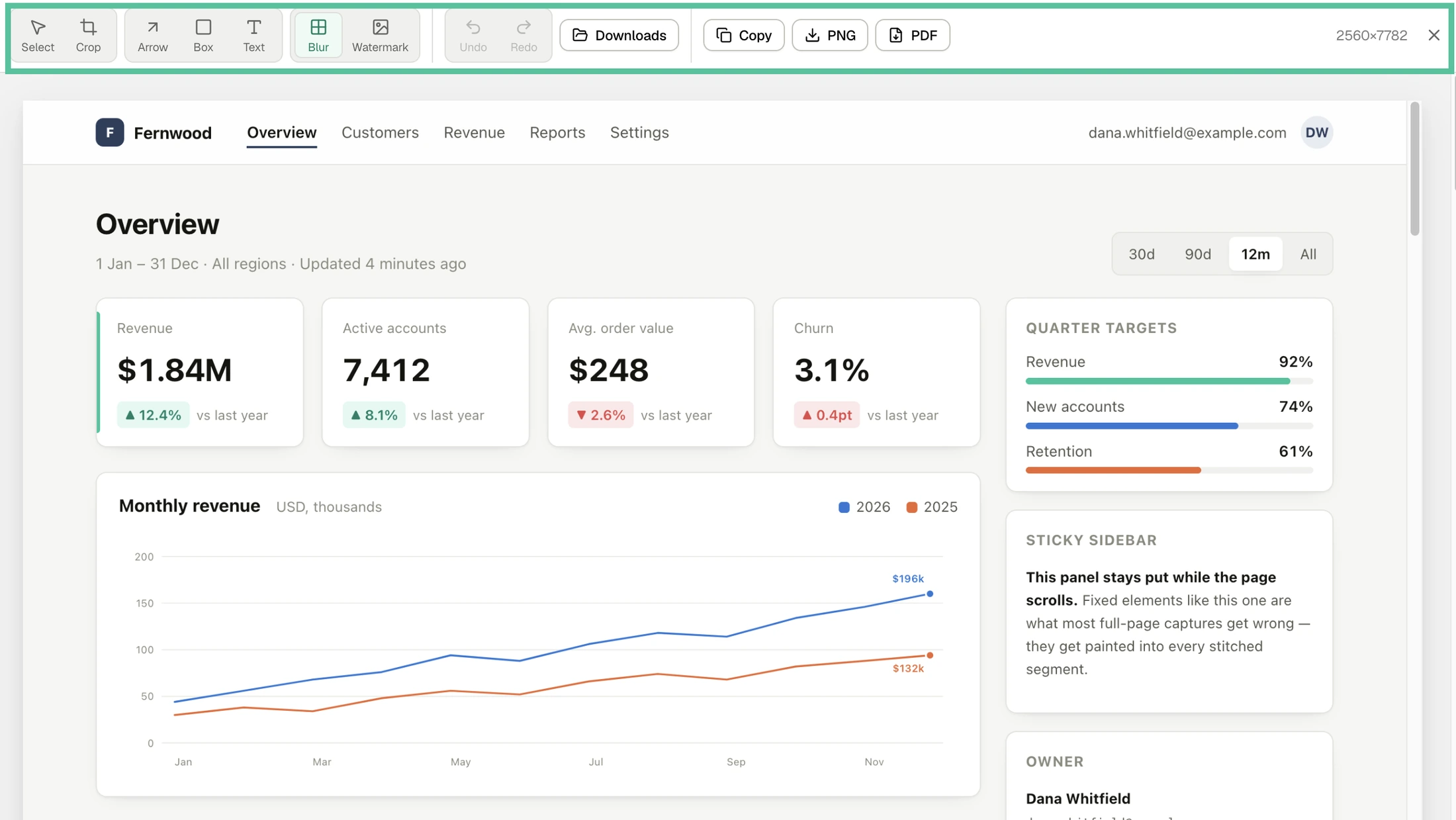
OpenCapture is a free, open-source Lightshot alternative for the browser. Lightshot is a free tool for grabbing a selected area of your screen and sharing it through a short link. OpenCapture captures the whole scrolling page, edits it with crop, arrows, text and blur, and saves it as PNG or PDF on your device, with no upload.
Side by side
| Compared | OpenCapture | Lightshot |
|---|---|---|
| Capture | ||
| Selected area | Yes | Yesany area of the desktop or page |
| Capture the full scrolling page | Yes | Not listedits pages describe selecting an area |
| Anything outside the browserother apps, the desktop | Nobrowser extension only | YesWindows and Mac apps |
| Editing and saving | ||
| Editor | Yescrop, arrows, boxes, text, blur, unlimited undo | Yesedit in place, plus an online editor |
| Save as | PNG, PDF | PNG, BMP, JPG |
| Copy to the clipboard | Yes | Yes |
| Share by link | Nonothing is uploaded | Yesuploads to prnt.sc and gives a short link |
| Privacy | ||
| Where the screenshot goes | Stays on your device | Your device, or prnt.sc if you uploaduploaded images can be viewed by anyone with the link |
| Open source | YesAGPL-3.0-or-later | No |
| Platforms and price | ||
| Browsers | Chrome, Edge, Firefox | Chrome, Firefox, Opera, IE |
| Desktop apps | No | Windows, Mac |
| Price | Freeonly watermarking is paid: $5 for 1,000 credits, one-time | Free |
What you're actually choosing between
A region of the screen, or the whole page
Lightshot is built around one quick move: press a key, drag over an area, and save or share it. Its pages describe selecting an area of the desktop or the page; they do not list a full-page capture. OpenCapture is built for the opposite case, a page longer than the window: it scrolls the page, stitches it into one image and opens it in the editor, so a long article, a dashboard or a receipt comes out in one file.
Sharing by link, or keeping it on your device
Lightshot’s fastest way to share is to upload to its server and copy a short link. Its privacy page says every image uploaded there is public: anyone who types the exact address can view it, and it is not meant for secure storage. That is fine for a meme and a problem for a screenshot of a customer record. OpenCapture has no upload path at all: the capture, the edit and the export run in your browser, and you send the file yourself. If the page shows something private, blur it before you save.
Where Lightshot is the better pick
- You need to capture other apps or the desktop, not just a web page: Lightshot has Windows and Mac apps, and OpenCapture works only inside the browser.
- You want a shareable link in one click and the screenshot is not sensitive.
- You want BMP or JPG files rather than PNG or PDF.
Try it on a long page
Install it, open the longest page you have, and capture the whole thing.
Questions people ask
Is there a Lightshot alternative that captures a full page?
OpenCapture. It scrolls the page, stitches it into one image and saves it as a single PNG or PDF, however long the page is. It runs in Chrome, Edge and Firefox.
Are Lightshot uploads public?
Lightshot’s privacy page says every image uploaded to its site is public and can be viewed by anyone who types in its exact address. Saving to your disk or copying to the clipboard does not upload anything.
Does OpenCapture upload my screenshots?
No. Captures have no upload path — every step runs inside the browser. The only network requests OpenCapture makes are for the optional watermark unlock, and no screenshot is ever part of them.
Is OpenCapture free like Lightshot?
Yes. Capturing, editing and exporting are free. The only paid feature is watermarking, unlocked once with a one-time purchase.
Can OpenCapture capture my desktop like Lightshot?
No. OpenCapture is a browser extension and captures web pages only. For other apps or the desktop, Lightshot’s Windows and Mac apps, or your system’s own screenshot tool, are the right choice.
Is OpenCapture open source?
Yes. Its core is published under AGPL-3.0-or-later on GitHub. The one proprietary part is the optional watermark module.
Sources, checked 13 November 2026
- Lightshot home page and download page: platforms, selecting an area, upload with a short link.
- Lightshot FAQ: file formats and the clipboard.
- Lightshot privacy page: uploaded images are public.
- Lightshot in the Chrome Web Store.